June 18, 2026 · v0.1.75
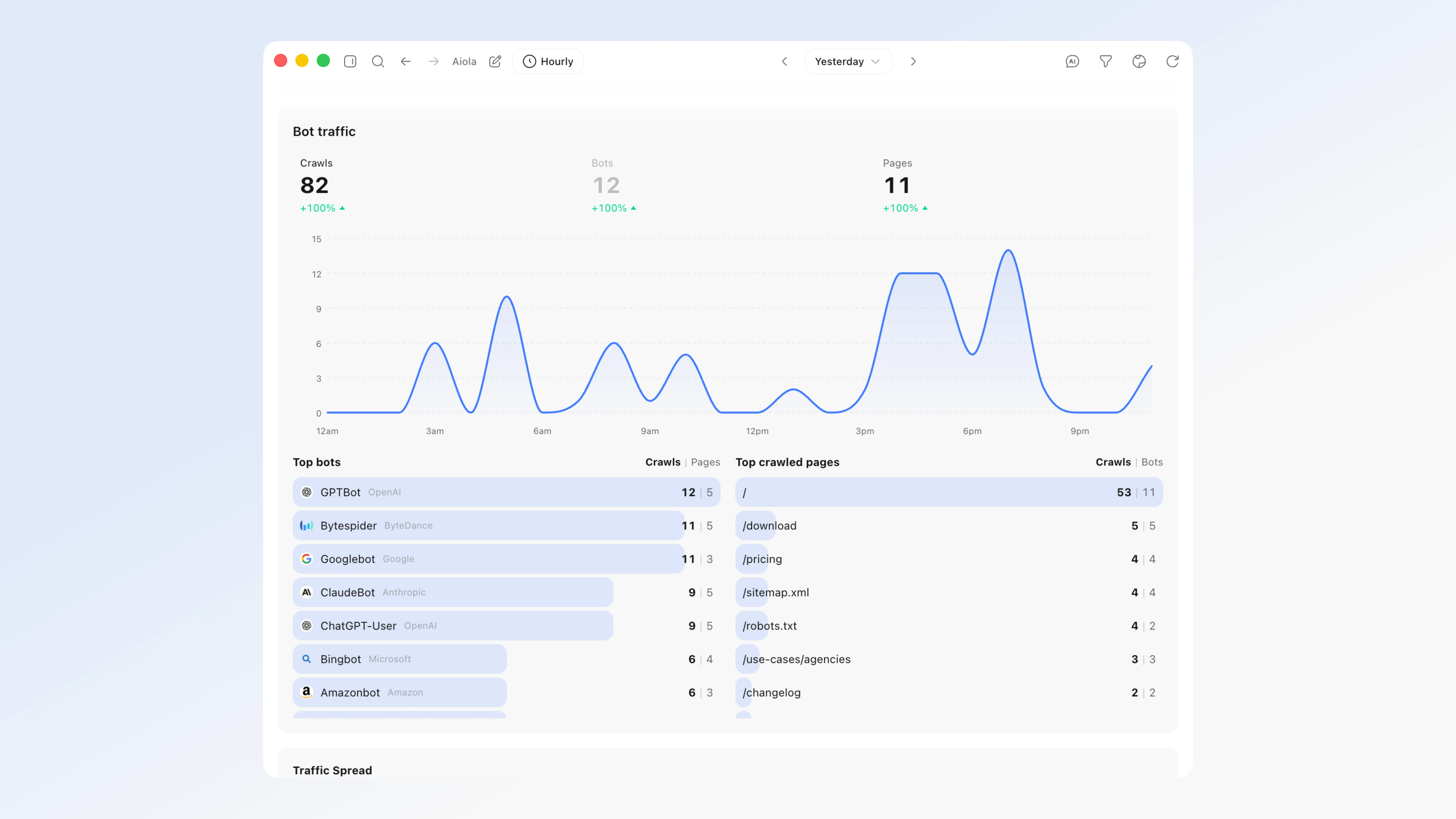
v0.1.75 added Bot traffic — see which AI crawlers read your site
Analytics now tracks the AI and LLM crawlers your normal JavaScript analytics can never see — because bots don't run JavaScript. A new Bot traffic panel shows GPTBot, ChatGPT-User, ClaudeBot, PerplexityBot, Google-Extended, Bytespider and more crawling your pages, on the same chart and date ranges as your human visitors. It's the AEO/GEO view of who's ingesting your content for AI answers.
What's New
- Bot traffic — see which AI crawlers read your site: Analytics now tracks LLM/AI crawlers (GPTBot, ChatGPT-User, ClaudeBot, PerplexityBot, Google-Extended, Bytespider, and more) that your normal JavaScript analytics can never see, because bots don't run JavaScript. A new Bot traffic panel on the analytics page shows crawls over time on the same chart as your visitors (today / yesterday / 7d / 30d / custom — same timezone), a per-bot hover breakdown with logos, and Top bots + Top crawled pages lists (click a bot to see exactly which pages it crawled). It's powered by a lightweight server-side capture you add via Settings → Analytics → Add to App (works for any stack — Next.js, Nuxt, Express, Python, Rails, PHP, or an edge/CDN worker). The data also flows into the aiola MCP (
get_analytics+ the overview recap) and the analytics Analyze button, so AI recaps now cover how assistants discover your site (AEO/GEO).
Fixes
- The Aiola MCP server no longer breaks after an update: Some installs hit a "failed to reconnect" /
-32000error where the built-in Aiola MCP tools (app logs, analytics, feedback, search keywords, indexing) went dark and/mcpreconnect kept failing. The underlying generated server file could be shipped with a syntax error and silently take the MCP offline for everyone. It's now hardened so this can't recur: the server script is validated at build time (a broken script fails the build instead of shipping), it's written to disk atomically with an automatic fall-back to the last working copy, and it now launches on Aiola's own bundled runtime — so the MCP keeps working even on machines without Node installed, and stays working across restarts and version updates. - Thread search now jumps to the exact message — and reaches every thread: Picking a result in the Found in threads group used to just open the thread and drop you at the bottom; now it scrolls straight to the matching message and briefly highlights it, so you land on the thing you searched for. Search also covers every thread's title and summary across all your threads (not just the most recent ones), so a match can't hide just because the thread scrolled out of the recent list.