// What's New
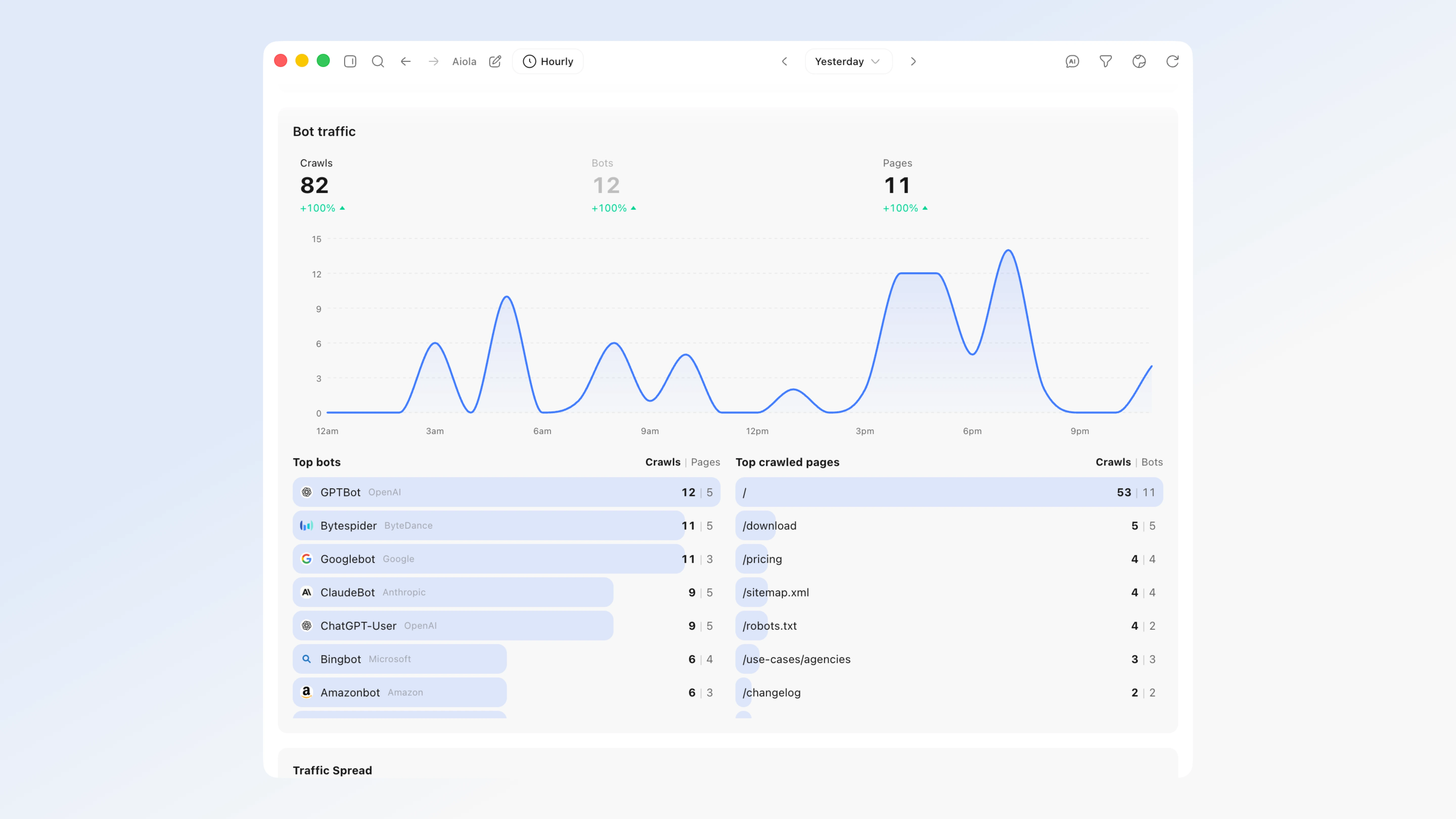
Bot traffic is now split by what the AI is actually doing — AI answers vs Indexing vs Training: The Bot traffic panel no longer lumps every crawler together. Each hit is now classified by purpose: AI answers (ChatGPT-User, Claude-User, Perplexity-User fetching a page live to answer someone's question — i.e. you're being cited right now), Indexing (Googlebot, Bingbot, and AI-search crawlers like OAI-SearchBot / Claude-SearchBot building their index), and Training (GPTBot, ClaudeBot, CCBot, Bytespider, Meta and friends crawling for model training). The split is exact for historical data too, and flows into the aiola MCP (get_analytics → bot_crawls_by_category) and the analytics recap, so you can finally tell "AI is answering questions with my content" apart from "AI is just training on me."
See the pages AI crawlers ask for that don't exist yet: New broken-page tracking: when a crawler repeatedly requests a URL that 404s (say ChatGPT keeps fetching /free-trial and it isn't there), that's a strong signal you should build the page — the AI already thinks it exists. Analytics now captures the HTTP status of each crawl and surfaces the 404s crawlers hit as a distinct list (get_analytics → bot_crawls_broken_pages), separate from your real crawl totals so it never inflates them. Enabled by a tiny addition to the server-side capture in Settings → Analytics → Add to App (a not-found handler beacon; the snippet and instructions are updated for every stack).
AI Visibility (AEO) — measure how often AI recommends you, run on your own AI: A new prebuilt "AI visibility check" automation asks the buyer-style questions people put to AI assistants ("best tool for X", "alternatives to <competitor>"), then reports whether your brand shows up, how prominently, your share of voice vs competitors, which sources got cited, and the exact questions where you're invisible (your content gaps). It runs on whichever assistant the automation uses — Claude Code, Codex (ChatGPT), or Cursor — so it uses the subscription you already have, at no extra API cost. Add it from the automations page under Analytics & insights, or from the new Automations button right on the analytics header (next to the live globe), which lists the analytics automations for the workspace and lets you enable them in one click.
AI Visibility Score — a real, deterministic 0–100 number for how visible you are to AI: Aiola now computes an AI Visibility Score from data it already tracks — no guesswork, no external service, same inputs → same score. Five weighted components: crawl coverage of your popular pages by AI crawlers (30), AI-crawler breadth — how many distinct AI bots reach you (20), AI-answer referral volume — humans actually clicking through from AI answers (25), assistant breadth — how many different assistants send them (15), and discovery-file health — robots.txt / llms.txt / sitemap being fetched by bots (10). Zero traffic scores a clean 0 (never a blank or an error), and the formula is documented in code so the number is auditable. It rides the existing bot-traffic request (no extra query cost), reaches AI through the MCP (get_analytics_overview), and the "AI visibility check" automation anchors on this computed score instead of asking the model to invent a percentage — the LLM adds the qualitative story (share of voice, content gaps), the score itself is math.
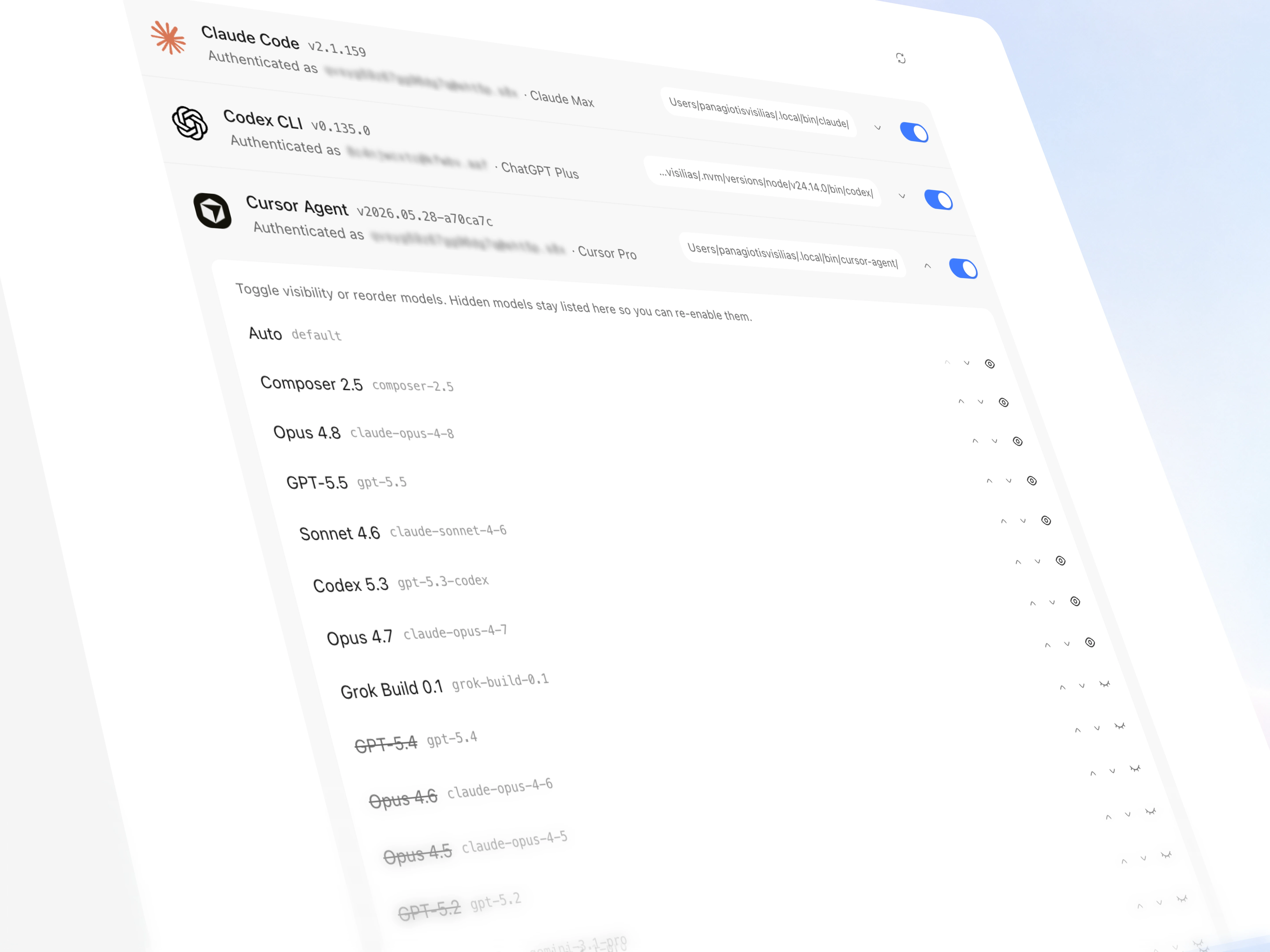
Grok CLI and OpenCode — two more coding agents you can run inside Aiola: If you have Grok CLI (grok) or OpenCode (opencode) installed, they now show up in the provider picker everywhere you pick an assistant — chat, agents, automations, tasks, and workspace defaults — alongside Claude Code, Codex, and Cursor. Neither uses a bundled model list: Grok's models and reasoning options are discovered live from the CLI itself (currently Grok 4.5, with whatever models xAI adds next appearing automatically), and OpenCode auto-discovers the exact provider/model pairs your install exposes. Grok supports the same skills/automation flows as the other CLIs. Both appear in Settings → CLI tools with install/login/update actions, and Grok/OpenCode usage lands on the usage dashboard (SuperGrok credits for Grok; OpenCode Go spend from your local DB).
Claude Opus 5 — Anthropic's newest model, available everywhere you pick one: Claude Opus 5 joins the Claude Code provider in chat, agents, automations, tasks, and workspace defaults. It runs on a 1M-token context by default (200K still selectable from the model switcher), supports Fast mode, and exposes the full reasoning range up to Extra High — sent to the CLI verbatim, so the effort you pick is the effort that runs.
Analytics splits into Traffic and AI — two focused tabs instead of one long page: The analytics dashboard now has a Traffic tab (visitors, sources, pages, the breakdown grid) and an AI tab (bot crawlers, AI assistant referrals, discovery files, page coverage). The AI tab gets its own filters built for AI data — filter by bot, crawled page, or crawl purpose where Traffic filters by country/browser/OS — plus Crawled pages and Discovery files as tabs inside the bot panel. Both tabs share one date range, and the range you pick now sticks for the session — set "All time" once and it survives navigating away and back, instead of snapping to Today. Switching between the tabs reuses already-fetched data, so the second visit is instant with no loading flicker.
AI Referrals — see when real people click through from an AI answer: A new AI Assistants card on the analytics dashboard tracks human visitors who arrived from ChatGPT, Perplexity, Claude, Gemini, Copilot, Grok, Meta AI, DeepSeek, Mistral, and similar — distinct from the bot-crawler hits in Bot traffic. It shows total referral visits, which assistant sent them, period-over-period deltas, and the landing pages they hit most. Loaded lazily so it never slows the default dashboard open; also available via MCP (get_analytics → analytics_ai_referrals).
Chat navigation trail — jump through long threads without endless scrolling: A vertical tick rail now sits beside the message list: one tick per conversation turn (your prompt → the assistant's reply). Hover to preview the turn, click to jump straight there; the active tick tracks where you are as you scroll. Long threads compress to fit every tick on screen, macOS-dock-style magnification included.
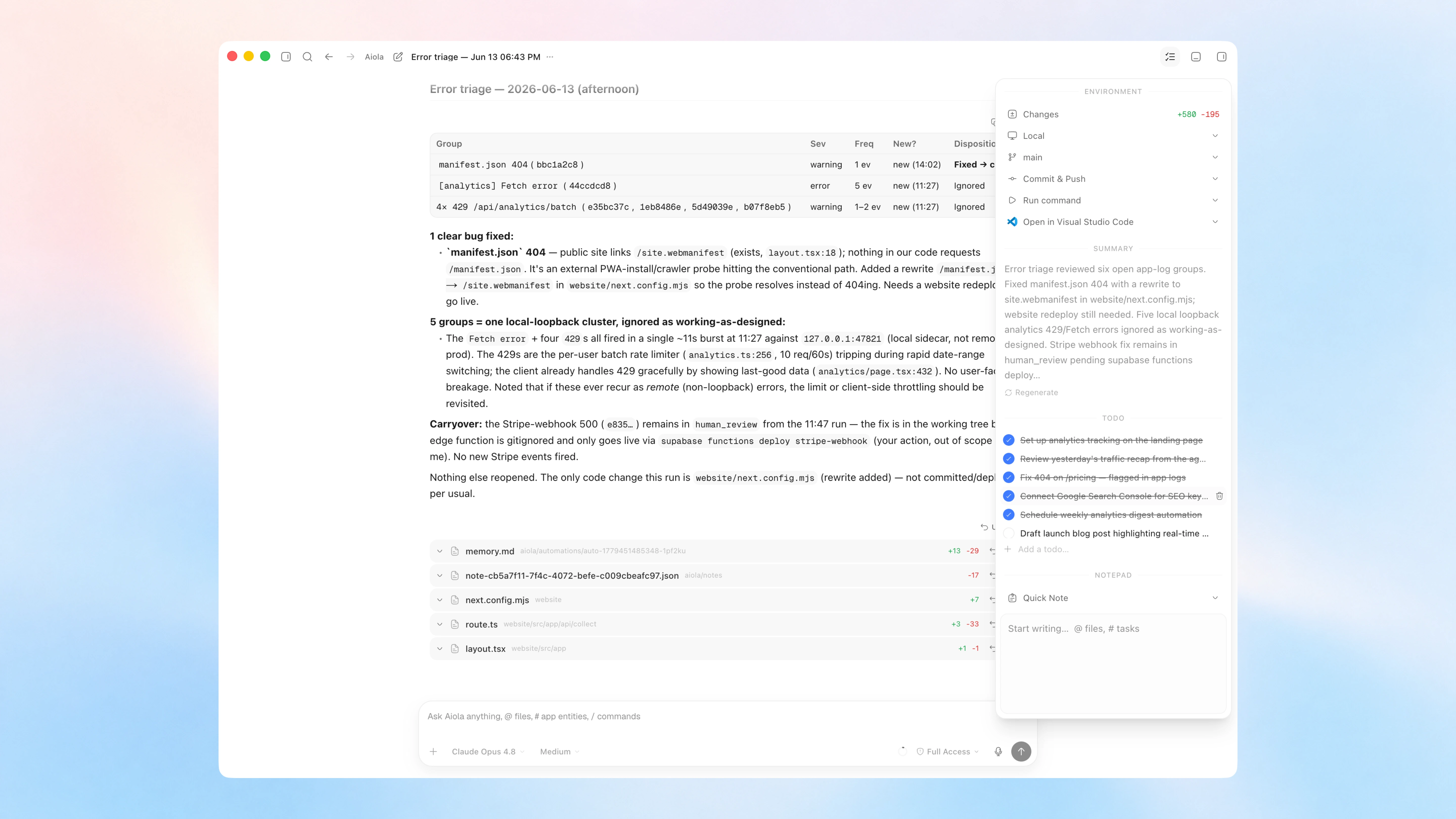
Background agent work now reports back on its own: When the assistant launches a background task (a long build, a codex-run/grok-run dispatch), the session stays alive after the turn ends and a new reply arrives automatically when the task finishes — no more silent "I'll report back" dead ends. Spawned subagents and background tasks also show live status rows in the chat (running → completed, with expandable summaries).
Local file paths in chat are clickable: Bare or backticked paths (/tmp, /var, /Users, ~/) render as chips that open the file on your Mac, same as in the terminal.
Model switcher redesign — one chip for model and reasoning effort: The chat composer no longer splits model and reasoning into two footer chips; a single switcher chip shows the model name plus your current effort level (and a ⚡ when fast mode is on). Open it for a compact panel: tap Models › to drill into the same provider→model list as before, pick a context-window pill when the model supports it, and drag a native-feeling effort slider whose fill color signals intensity — amber below Medium, blue from Medium through Extra High, red at Max/Ultra. Fast mode moved out of the [+] menu into the panel as a ⚡ toggle; when it's on the slider knob becomes a rocket with a flickering exhaust flame and ember stream, and turning it on plays a one-shot launch — ignition smoke at the pad, a subtle popover shake, then the rocket accelerating to its stop. Models with fast mode but no reasoning levels get the same panel with a full, non-interactive slider; models with neither keep the plain model list. Applies everywhere the chat composer appears.
// Improvements
The new bot dimensions reach the MCP and AI recaps: get_analytics_overview now includes the Answers/Indexing/Training breakdown, the 404/broken-page list, and a notFound count in the bot-traffic summary — so AI reports can speak to how assistants discover, cite, and (fail to) find your pages.
"Add to App" instructions upgraded for status/404 capture: across Next.js, Nuxt, Express, Python, Rails, PHP, and edge/CDN workers.
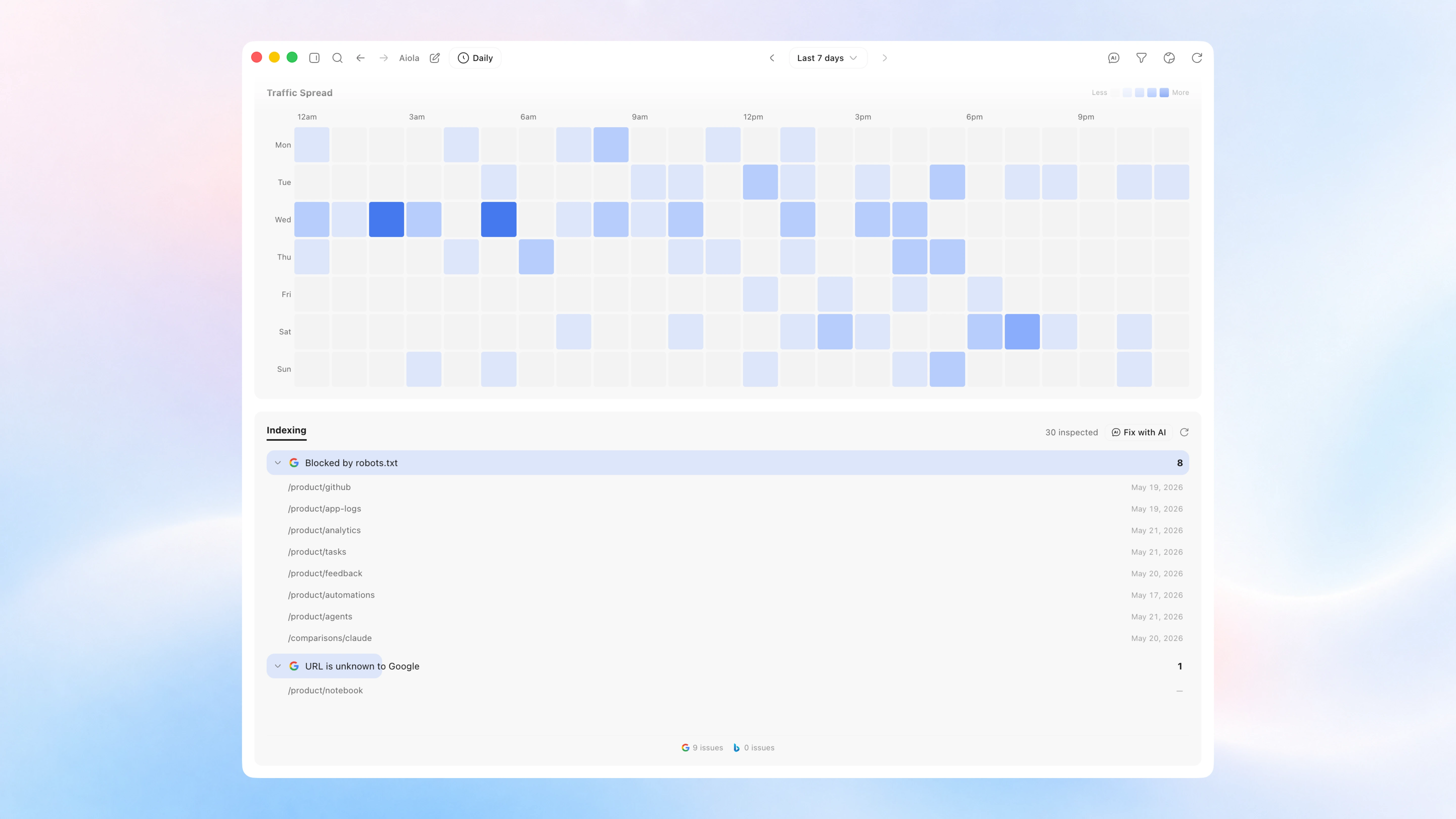
Bot traffic is now a full drill-down workspace, not just a summary chart: Searchable bot and page lists with click-through detail (per-bot crawled pages, per-page bot breakdown + mini timeseries); a Discovery files section for robots.txt / llms.txt / sitemap hits (with loud badges when a crawler asked for one and got a 404); page coverage and popular pages no AI crawler has touched yet so you can spot content gaps crawlers are ignoring.
Dozens more AI crawlers recognized and labeled: Bot detection now classifies many additional vendors — Mistral, xAI/Grok, Amazon, Moonshot/Kimi, Alibaba/Qwen, Baidu, DeepSeek, Zhipu AI, Allen AI, DuckDuckGo, You.com, ByteDance/TikTok, Meta fetchers, Google NotebookLM/Vertex, Microsoft Copilot, and more — so fewer mystery bots land in "Other" and the Answers/Indexing/Training split stays accurate.
A fourth bot category — "Other" — keeps your AI numbers honest: Ad and social-preview fetchers (OpenAI's ads bot, Meta's ad/link-preview fetchers, and similar) are real bot traffic but aren't answering, indexing, or training — so they now land in a muted Other bucket instead of quietly inflating Training. It appears everywhere the other three categories do: the crawl-purpose filter, the chart, page coverage, and every backend. GoogleOther (Google's R&D/misc crawler) also moved from Indexing to Training, where it belongs.
Twelve more crawlers recognized: msnbot, OAI-AdsBot, Meta's ad & link-preview fetchers, ByteDance's Doubao bot, plus classic indexers YandexBot, DuckDuckBot, SeznamBot, PetalBot, and Qwantbot, and AI crawlers LinerBot and QualifiedBot — and the site's robots.txt now lists the real, current crawler tokens (stale placeholder names dropped).
The AI Assistants card now recognizes You.com, Poe, Phind, and Hugging Face: referrals, and its total now matches the "A.I." channel in the traffic breakdown exactly — the two surfaces can no longer disagree about how much AI-referred traffic you got.
Every model now runs at the settings it actually advertises: The model catalog was quietly out of step with the CLIs in several places, and all of it is corrected: Claude models default to the context window they really ship with (Fable 5 / Opus 5 / Opus 4.6 default to 1M with 200K selectable; Opus 4.8 and 4.7 are always 1M and no longer show a switch that does nothing), each model uses its own declared default reasoning effort instead of a provider-wide fallback, and Codex sends the tier you selected — Max and Ultra were being dropped, so the picker showed high effort while the model quietly ran at its default. Fast mode is detected from the modern service-tier metadata (and sends the tier id the catalog actually names), so models that support it are no longer reported as if they don't.
Changing reasoning effort mid-thread now applies immediately: on a live Claude session, instead of staying pinned to whatever you picked on the first turn.
Grok and OpenCode tool steps read like the other providers': Grok's steps now show real tool names, file paths, and commands, and refine live as more metadata streams in; its edit tools (search_replace and friends) render as file changes with proper diffs rather than as a search, and filesystem search is no longer mislabeled as web search. OpenCode gets the same treatment for command and path titles.
Chat survives a dropped connection: If the link drops mid-reply, the client now catches up on the streamed frames it missed instead of losing them, and messages still queued when the server goes down resume automatically on restart.
Terminals reconnect properly: Open terminal sessions are rediscovered after a client restart instead of being stranded, and a reused session remembers its size.
Canvas layout picker adds a dedicated 3-column preset: and clearer icons for the row/column stack layouts.
The "online now" dot on analytics is always visible: it pulses in the brand color while visitors are on your site and dims to a muted gray at zero, on both the workspace and Central dashboards, so you can tell "nobody's here" from "the counter didn't load."
// Lifetime / self-host coverage
GUI Lifetime — the cheaper, GUI-only lifetime plan is implemented end to end: The gui_lifetime tier is now fully enforced in the app: it keeps the complete local GUI — chat, tasks, agents, skills, notes, plan, terminals, automations, unlimited projects — while hosted-backend features (analytics, app logs, feedback, hosted integrations, sourcemaps, and the auto-installed Aiola MCP) are hidden from navigation and blocked on direct links with a clear upgrade card (hidden, never removed — third-party MCP servers keep working). Stripe checkout, the progressive launch pricing ladder ($49 for the first buyers, then $89, then $129, served live from the gui-lifetime-price function), and the signed offline license all ship with it; the website pricing card previews the plan but stays Coming soon until checkout is switched on.
Lifetime offline licenses got sturdier: A signed cached license now resolves your entitlement before central auth is consulted (so the app opens with the right plan even when Supabase is unreachable), a license whose tier no longer matches your account is replaced instead of trusted, the local MCP entitlement sync can authenticate with the offline license, and the cached license/credential files are written with owner-only permissions.
Everything above is fully covered for lifetime / bring-your-own-backend users: The Answers/Indexing/Training split and 404 tracking aren't a hosted-only feature: the status column, the two new query pipes, and the purpose/broken-page functions are ported to the self-host Postgres-lite backend (with a partial index so 404 lookups stay fast on large tables) and bundled into the BYOD schema you paste when provisioning your own Supabase/Postgres/ClickHouse. So a lifetime user running entirely on their own infrastructure gets the same bot-purpose split and broken-page signals with zero owner-side cost.
The AI-visibility automation is a natural fit for the lifetime model: because it runs on your already-authenticated local CLI subscription (Claude / Codex / Cursor) rather than a metered API key, the marginal cost of tracking your AI visibility is effectively zero.
Setup Checkpoints — verify your self-hosted backend before you flip it on: Settings → Backend (lifetime / BYOD) now runs a manifest-driven checklist against your Supabase URL, edge functions, analytics pipes, and MCP/license wiring — grouped results with ✓/✕/! per row, auto-expanding failures so misconfiguration shows up as a fix list instead of a silent analytics gap. Gated to lifetime entitlement so hosted subscribers can't accidentally wander in.
AI Referrals, discovery files, and page-coverage pipes are ported to Postgres-lite BYOD: alongside the existing bot-purpose and broken-page functions — bundled in the schema you paste at provision time, same zero owner-side cost model.
ClickHouse BYOD reaches feature parity on the AI surfaces: Self-hosters on ClickHouse previously got a permanently empty AI Assistants card, no human-pageview figures alongside the crawler data, and an empty "popular pages with no AI crawls" list — the backend simply never implemented those queries (and the ones it did implement returned the wrong column shapes). All of it now works: summary, timeseries, top pages, AI referrals, channels, and the discovery-files query (which also learned about sitemap-index files), with the same output shapes as the hosted backend.
Six dashboard queries that silently returned nothing on Postgres-lite BYOD are now ported: pages, traffic sources, visitor journeys, the full breakdown grid, the heatmap, and UTM reporting all ran only on the hosted backend before; a self-hosted Postgres user saw those sections empty with no error. They're now real functions in the BYOD schema, registered in the dispatcher, with the deterministic ordering fixes included.
// Fixes
Going offline no longer signs you out: A token refresh that fails because you lost wifi, woke the laptop, or hit a burst limit is now treated as retryable — your session stays put until the server genuinely rejects it, instead of dumping you at the login screen for a network blip.
Resuming a thread can no longer erase it: A resume that failed for any reason — auth, transport, a config error — used to be papered over by silently starting a fresh empty thread, which looked exactly like the model forgetting your entire conversation. Only a genuinely missing thread starts over now, on both Codex and OpenCode.
A failed turn looks failed: Turns that died from a rate limit, a model error, or a sandbox denial were being reported as completed, so you got an empty reply that looked successful; they now surface the real error. A stream that times out mid-reply no longer leaves the thread looking like it finished, and a send that fails no longer clears your composer or revives a stopped thread.
Unread badges tell the truth: The dock/taskbar badge is restored on cold start, counts only notifications that a list actually renders (so agent-complete rows can't inflate a number you're unable to clear), and opening a nested page stops marking its siblings read.
Terminals open where you expect: A terminal pointed at a missing worktree or working directory now shows a clear error instead of quietly running your commands in the wrong folder, reattaching no longer garbles the scrollback with stale escape sequences, and a destroyed session marks its panes dead rather than leaving them looking live.
Chat no longer yanks you to the bottom while the AI is streaming: Scroll up to read and the view stays put; only sending your own message (or scrolling back down) resumes auto-follow.
Questions you can't miss: Threads waiting on your answer or approval now badge their sidebar row (and collapsed groups) with waiting-state priority, and the OS notification finally navigates to the right thread — questions asked while you're on the canvas are no longer invisible.
Canvas browser tabs behave like a real browser again: Wheel scrolling no longer dies after a tab is parked and restored, inactive tabs keep playing audio/video like normal background tabs, sites get clipboard/notification/location/media/fullscreen permissions, clearing cookies now also clears persistent site storage, pages see a current Chromium identity instead of a stale pinned user agent, and automatic dark mode recovers after DevTools closes.
Opening external links on macOS no longer throws a background crash: When the OS has no registered handler for a URL (or shell.openExternal rejects), the failure is swallowed at the source instead of surfacing twice as an unhandled rejection in app logs.
CLI update failures no longer return a scary HTTP 500: Expected tooling errors (npm permission denied, brew not found, Grok/OpenCode updater exit codes) now come back as a normal { success: false } payload the update banner already knows how to display.
Canvas shortcuts now plant new cards where you're actually pointing — even over a terminal or browser card: Mouse position is tracked at the window level so xterm and <webview> tiles can't starve it; new terminal/browser/chat cards from keyboard shortcuts land centered under the cursor (using each card's real size), falling back to the center of the current viewport when the pointer is outside the canvas — instead of dropping at the bottom edge of a crowded grid layout.
Drag an image card from anywhere on the preview and drop it onto a terminal or chat: The whole image body is a drag handle (not just the title bar). While dragging, the terminal or chat you're hovering gets a blue highlight ring; on drop the image card snaps back to its spot — into a terminal it uploads the file and pastes the path (same as dropping from Finder), into a chat it attaches to the composer. Works on draft New thread chat panes too, which previously couldn't receive file drops at all.
Quit is now the default button in the confirm-quit dialog: Matches a standard macOS alert: Enter quits, Esc cancels, with Quit rendered as the blue prominent action.
Tasks created by an agent on disk now show up when you return to the Tasks page: The board re-reads your aiola/tasks files every time you open the page (the cached list shows instantly, then updates), and a new Refresh button in the header forces a re-read on demand — so tasks an AI wrote directly to disk no longer hide behind a stale cache. Applies to both the workspace board and the Central cross-workspace board.
Plan, Notes, and Todo pick up agent-written changes too: The Plan page had the same stale-cache gap for the workspace default plan — it now re-reads from disk every time you open it. And all three pages (Plan, Notes, Todo) get the same header Refresh button as Tasks, so if an agent writes plan items, notes, or todos while you're already sitting on the page, one click pulls them in — Plan's refresh also picks up brand-new plan files in the plan switcher, and Notes reloads the note you have open.
Pageview counts are accurate again: The dashboard's pageview total was quietly including custom events (goal fires, outbound clicks) alongside real page loads, overstating traffic; it now counts actual pageviews only, on every backend.
Funnels, journeys, and exit-link reporting are now deterministic: Event sequences were assembled without an explicit time ordering, so the same data could produce different funnel steps or a different "outbound link" on different runs — everything is now strictly timestamp-ordered.
Revenue events can no longer be silently lost: The payment-analytics webhook now deduplicates by event ID and reports failures upstream so the payment provider retries, instead of acknowledging events it failed to record. Analytics and bot-crawl ingestion also guard their buffered writes against edge-runtime shutdown, closing a window where a burst of events could vanish without a trace.
Analytics query layer hardened: Session lookups are now strictly scoped to your own site, the analytics query proxy validates site ownership and only accepts known queries, bot-crawl reports validate the submitted hostname the same way pageviews do (crawl records can't be forged for a domain that isn't yours), and the realtime queries no longer scan unbounded history when a time window is omitted.