 Aiola
Every thread
Threads from all projects grouped by folder, with search, pinned threads, archive and restore, and live connection status.
Start threads, run several agents, use terminals and approve changes from your phone or tablet. It connects to your Mac or PC over LAN or Tailscale. Your desktop must stay on and awake. iPhone and iPad on the App Store; Android phones, tablets and foldables on Google Play.
Animated preview of the Aiola remote app: start threads, run several agents, approve changes, review diffs, use Git and terminals on your running desktop.
Start work, use terminals and review changes from your phone or tablet.
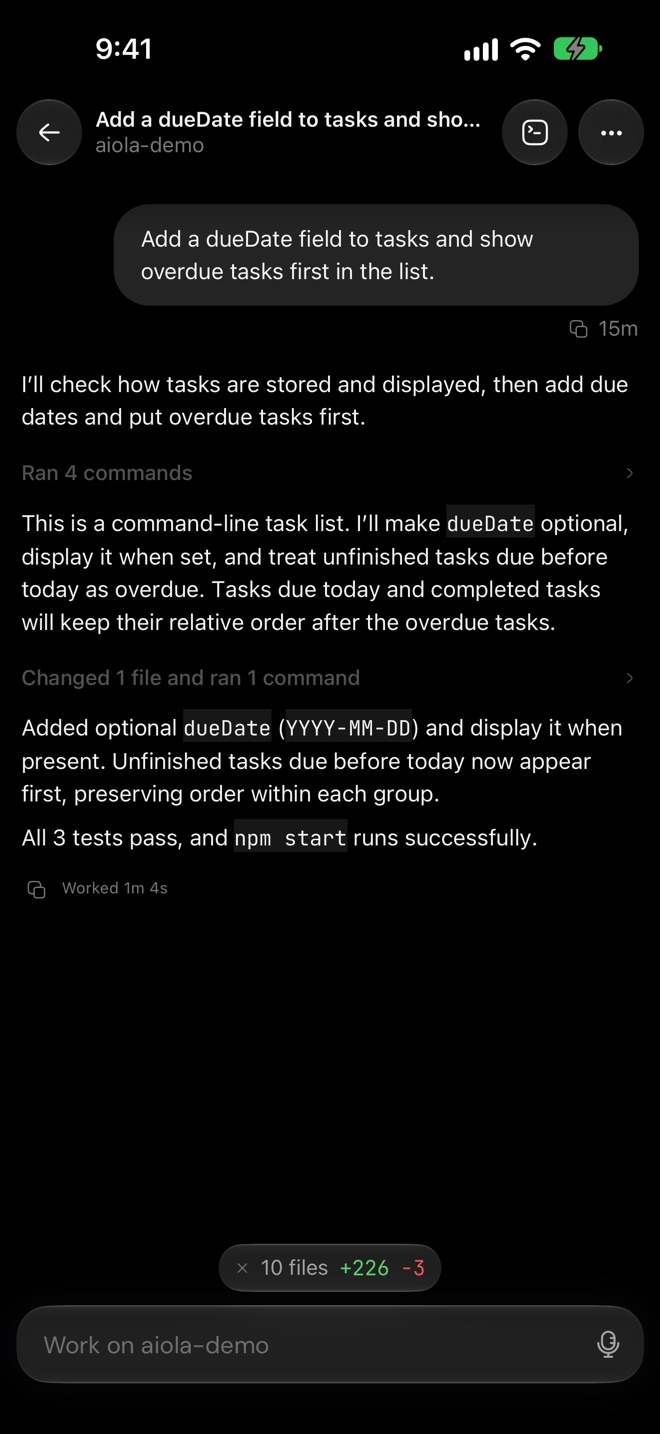
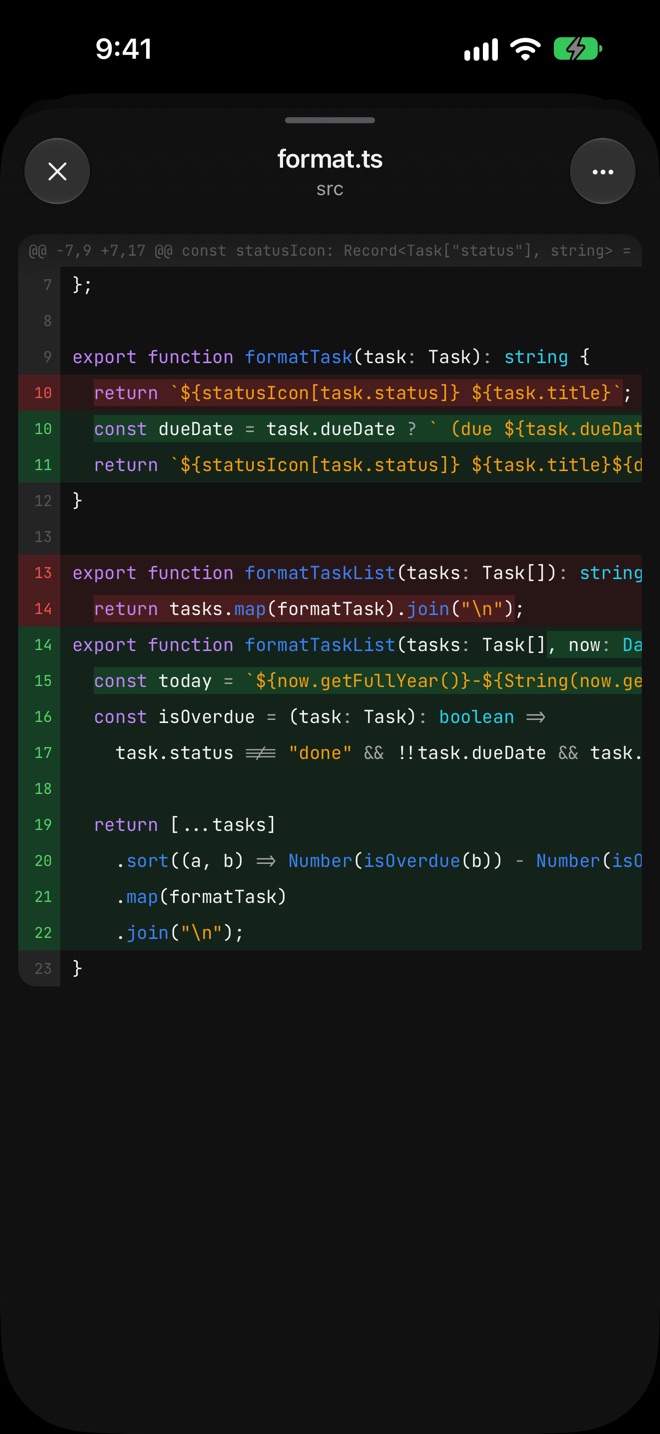
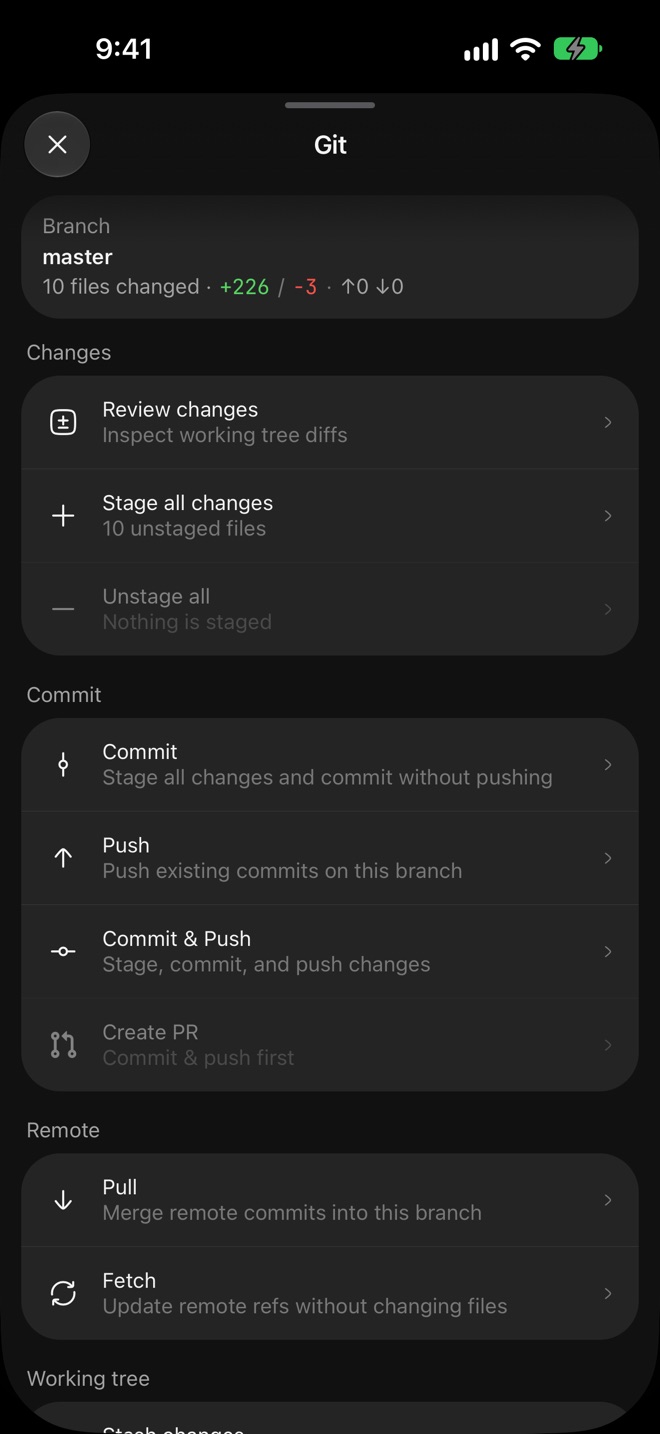
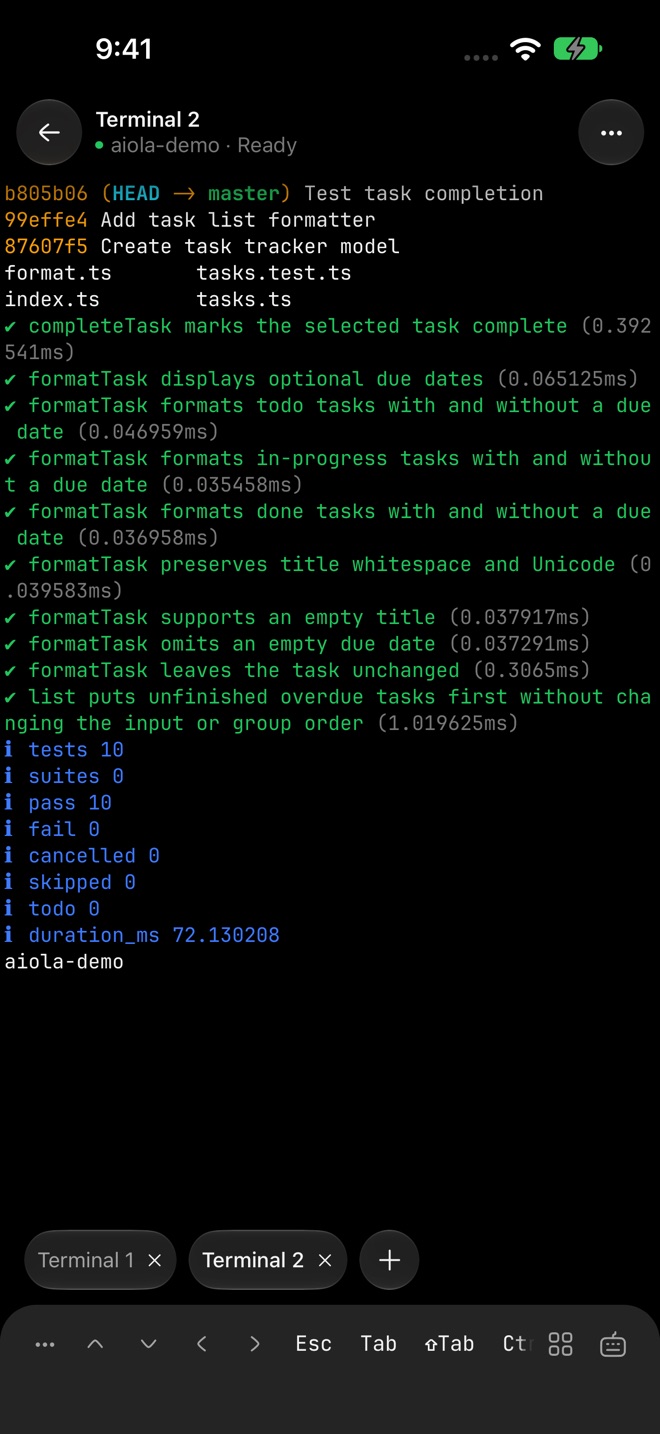
Leave the workstation where it belongs.
Threads from all projects grouped by folder, with search, pinned threads, archive and restore, and live connection status.
On iPad, Android tablets, iPhone Duo and unfolded foldables, your threads sit on the left and the open chat on the right.
Pick a project, model, thinking level, permission mode, and worktree where the provider supports them.
Approve, approve for the session, or deny tool calls; answer the agent's multiple-choice questions.
Browse changed files in tree or flat view, inspect diffs, and stage or discard individual files. Restore discarded edits from Git’s Discarded changes view.
Commit, push, pull, switch or create branches, merge, and open a pull request.
Multi-tab terminal with Ctrl/Esc/Tab/arrow keys, saved command snippets, and photo/file upload into the shell.
Queue prompts while agents work. Edit, reorder, remove, or split queued messages into new threads.
Stash changes, restore the latest stash, and inspect commit history from your phone.
Dictate a message on your phone. Attach photos or screenshots to a message.
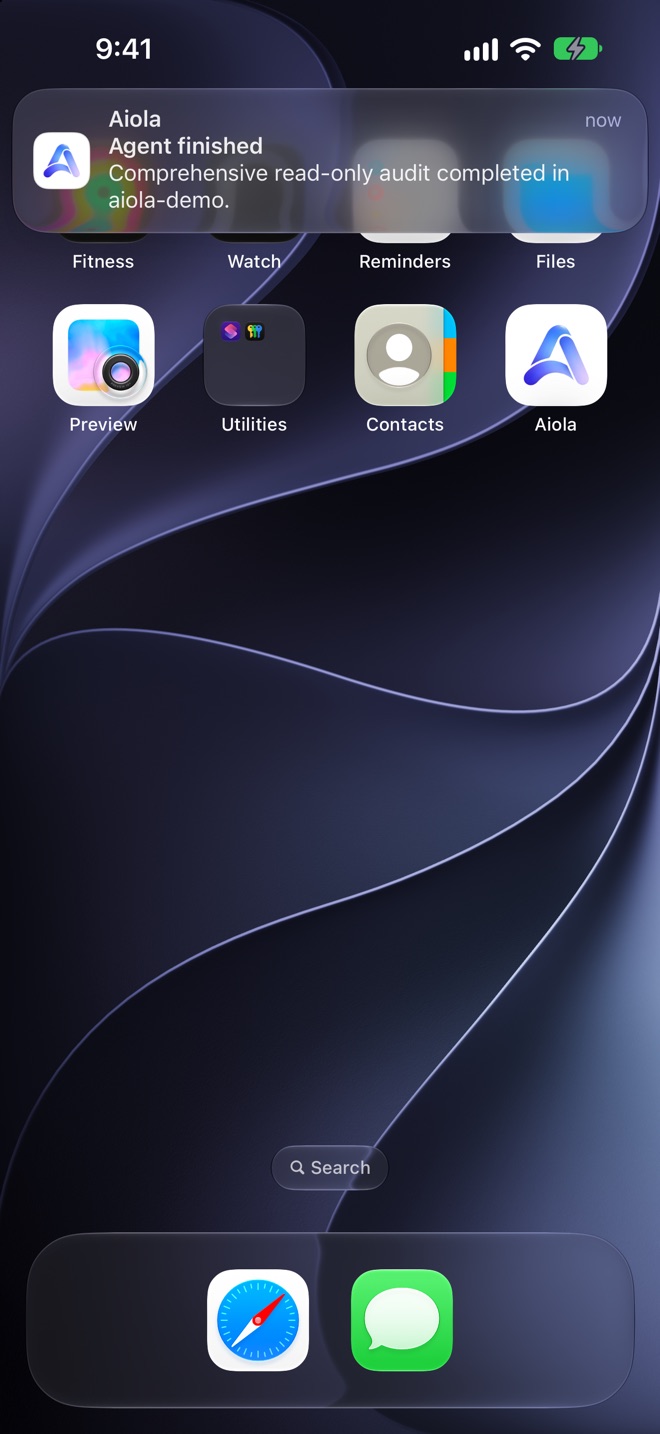
Push alerts with quick approve/deny actions; on iPhone, Live Activities and Dynamic Island show the running agent.
Browse your desktop folders and add a workspace from the phone.
Save, edit, remove, and switch between computers in Settings under Connections.
Navigate the full file tree beyond changed-file diffs. Tap any file to read it with syntax highlighting.
Adjust text, code and terminal font sizes, and turn code line wrapping on or off.
Stays on the desktop
Analytics, app logs, the tasks board, feedback, and notebook stay in Aiola desktop. Your repositories, provider sessions, terminals, and agent processes stay there too.
Start new threads from iPhone, iPad or Android and run several agents at once. Answer approvals as they work. Review the resulting diff file by file. Undo unwanted files before committing, pushing, or opening a pull request. Use the thread-scoped remote terminal for checks. Messages sent while offline wait in an outbox and send on reconnect.
Your phone pairs with your own macOS or Windows computer over your LAN or Tailscale. There is no cloud relay.
Step 01
Install Aiola desktop on Mac or Windows. Sign in to the same Aiola account on your desktop and phone.
Step 02
Open Central Settings, then Connections. Turn on Allow LAN connections and wait for the server to restart.
Step 03
Under Devices, select Add, then scan the QR code from the phone. Connect over LAN or Tailscale.
iPhone and iPad on the App Store. Android phones, tablets and foldables on Google Play.
Get Aiola for your phone
Pair with your running Aiola desktop over LAN or Tailscale.

Errors, user feedback, GitHub and analytics live next to your coding agents. Every issue becomes a task an agent can take.